 We have quite a good Freeview box which does scheduled recordings including series-record but it could be better because it is missing a HD output, DVD playback and Video streaming.
We decided to build our own HTPC in order to take control of our viewing options once and for all.
Hardware List:
- Case: Lian Li PC-C37B Muse HTPC Chassis – Black. This case didn’t come with a PSU so we bought a Corsair CX 400W ATX Power Supply (CMPSU-400CXUK).
- Motherboard: ASUS P5N7A-VM – micro ATX – GF 9300 / nForce 730i – LGA775 Socket – UDMA133, Serial ATA-300 (RAID), eSATA – Gigabit Ethernet – video – High Definition Audio (8-channel)
- CPU: Intel E8400 Core 2 Duo Processor – 3.00 GHz, 6MB L2 Cache, 1333MHz FSB, Socket LGA775, 45 nm
- RAM: 2GB (2 x 1GB) DDR2 SDRAM, PC2-6400
- Hard Disk: Samsung SpinPoint HD103UJ F1 Series – 1 TB – 32 MB – 3.5″ SATA
- DVD burner: Samsung SH-S223QBEBN 22x DVD±RW SATA Dual Layer Lightscribe ReWriter (Black)
- TV-Tuner card: Hauppauge Nova-T 500 twin TV-tuner card.
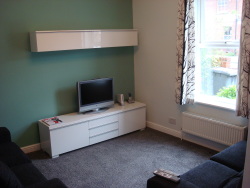
This list was based on the suggestions from page 56 of issue 117 of Linux Format Magazine. One thing to note is that the Nova-T 500 comes with a full-height backing plate so it wouldn’t fit into the case until Hauppauge, apon request, mailed us a half-height backing plate. The case fits in our Ikea Besta Burs TV Bench (albeit with a little jigsaw butchery to the thin plywood back panel). The case is missing a IR port but the TV-Card comes with a external IR receiver which is perhaps more useful because it means the PC can be out of sight with only the little IR receiver poking out.

|

|
Software
Install and configure Arch using “The Beginners Guide”: http://wiki.archlinux.org/index.php/Beginners_Guide. Then install MythTV using the great Arch wiki: http://wiki.archlinux.org/index.php/MythTV_HOWTO
Issues
Sound over HDMI – HDMI video worked out of the box but sound didn’t – To get sound through HDMI to the TV: Upgrade your version of ALSA, then in alsamixer, unmute all IEC958 channels (i.e. IEC958, IEC958-D, IEC958-1). Then:
- For Xine – Go to the audio tab and change the “audio-driver to use” to “alsa” and the “device used for stereo-output” to “pcm.hw:0,3”.
- For Mplayer – Right click->Preferences->Audio. Select alsa from the Available drivers. Then click “Configure driver” and enter “hw=0,3”
- For MythTV – Go to Utilities/Setup->Setup->General->”Next” until you get to the Audio section. In “Audio output device:” enter “ALSA:hw:0,3”. For MythTV DVD playback – Go to “Utilites/Setup”->Setup->”Media Settings”->”Video Settings”->”Player Settings”-> and add “-ao alsa:device=hw=0.3” to the mplayer options in the the “Default Video Player” field.
- For Flash – Create (or edit) a file called ~/.asoundrc and add the following:
defaults.pcm.device.3
so that flash uses the correct Audio output device.
mythtv-setup keeps crashing when tuning the channels – The solution is to run mythtv-setup using only one CPU core: taskset -c 0 /usr/bin/mythtv-setup
Tuning issues – The Nova-T 500 does not pick up a signal as well as normal stand-alone Freeview boxes or TVs. I had quite a few problems.

Just curious how you are liking your set up so far. I too am looking an onboard GF 9300 with the muse case so a few questions if you don’t mind.
1. does your dvd drive line up well with the Muse’s cover?
2. do you have an stuttering with HD playback though VDPAU?
3. what kind of CPU load do you have with typical HD playback?
4. anything you would have done differently?
Hi Travis,
I’m loving my set up so far – no regrets about the hardware that was chosen. The weakest points are that it does get worrying hot and it is quite noisy.
1. Does your dvd drive line up well with the Muse’s cover?
Yes, no problem.
2. Do you have an stuttering with HD playback though VDPAU?
No.
3. What kind of CPU load do you have with typical HD playback?
Don’t know – don’t usually play HD content, usually just watch Freeview TV.
4. Anything you would have done differently?
One problem is that the machine is a bit noisy. I did consider using two machines, a front-end and a back-end so that only the quiet front-end machine is in the living room. In the end, for reasons of space and convenience I choose a single machine.
[…] highly recommend it as a remote control for a MythTV box. It’s a good small size, the integrated trackpad is responsive and large and has both mouse […]
we think your site is very helpful to me! if u keep going this perfect work I’ll come back to ur website.
Very informative – 5 stars!